
 Chores & Allowance Bot
What’s new in version 5.1.0
A visual guide to the major new features: chores by time of day, chores for each home, chore pauses, and more. After that, the highlights of version 5.

New in 5.1.0Premium
Chores by time of day
Group chores by when they’re done, like Morning, After school, and Bed time.
You choose the times of day
Rename them, set when each one starts, add your own like “After dinner”, and delete the ones you don’t need.
Children see what to do right now
Their list shows the chores for the time of day that’s on now, and the chores for any time. Or let them see and check off everything: you choose.
A reminder when each one starts
A child who still has chores to do gets a notification, like “Morning chores for Emma”.
The watch apps and widgets follow the same rules.

New in 5.1.0Premium
Chores for each home
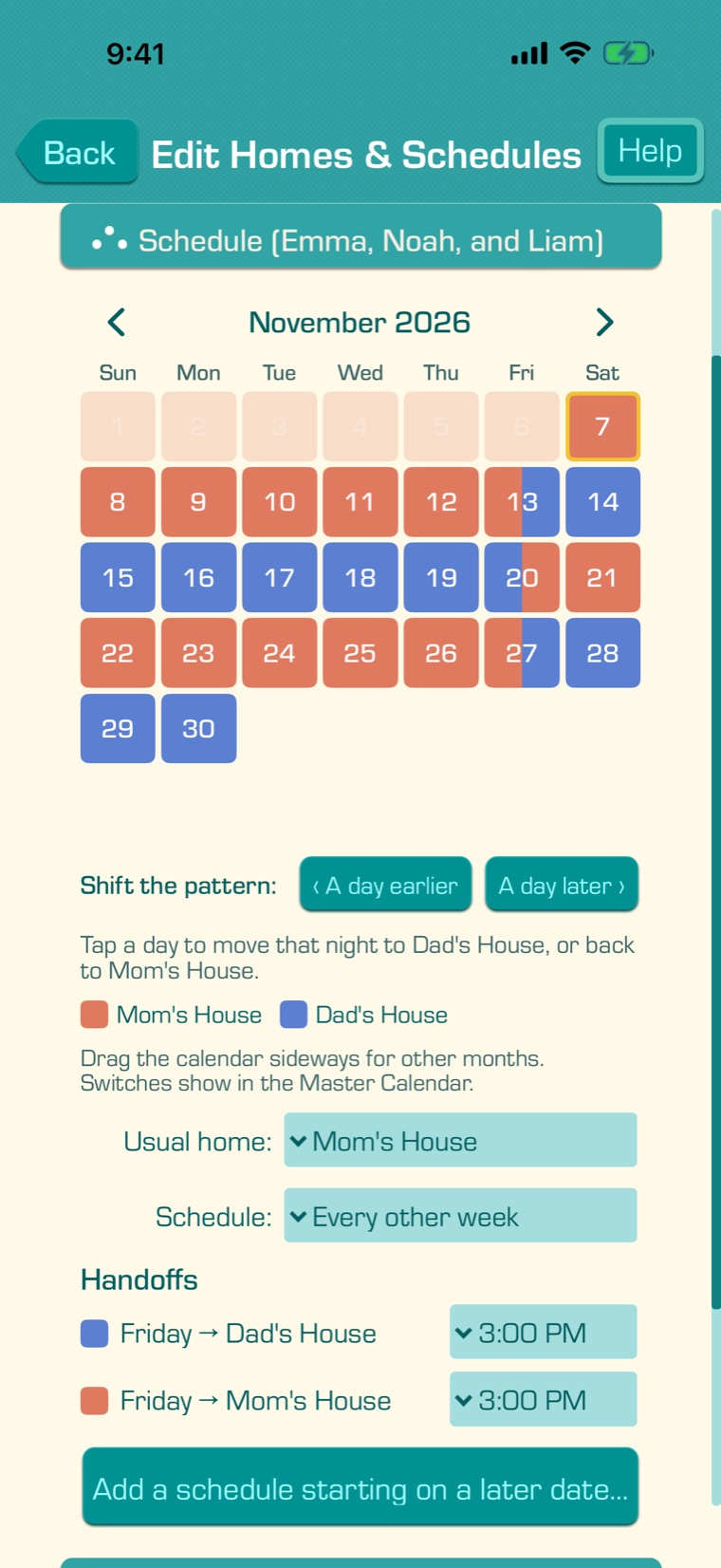
If your children live in more than one home, tie chores to a home and set a schedule like every other week or 2-2-3.
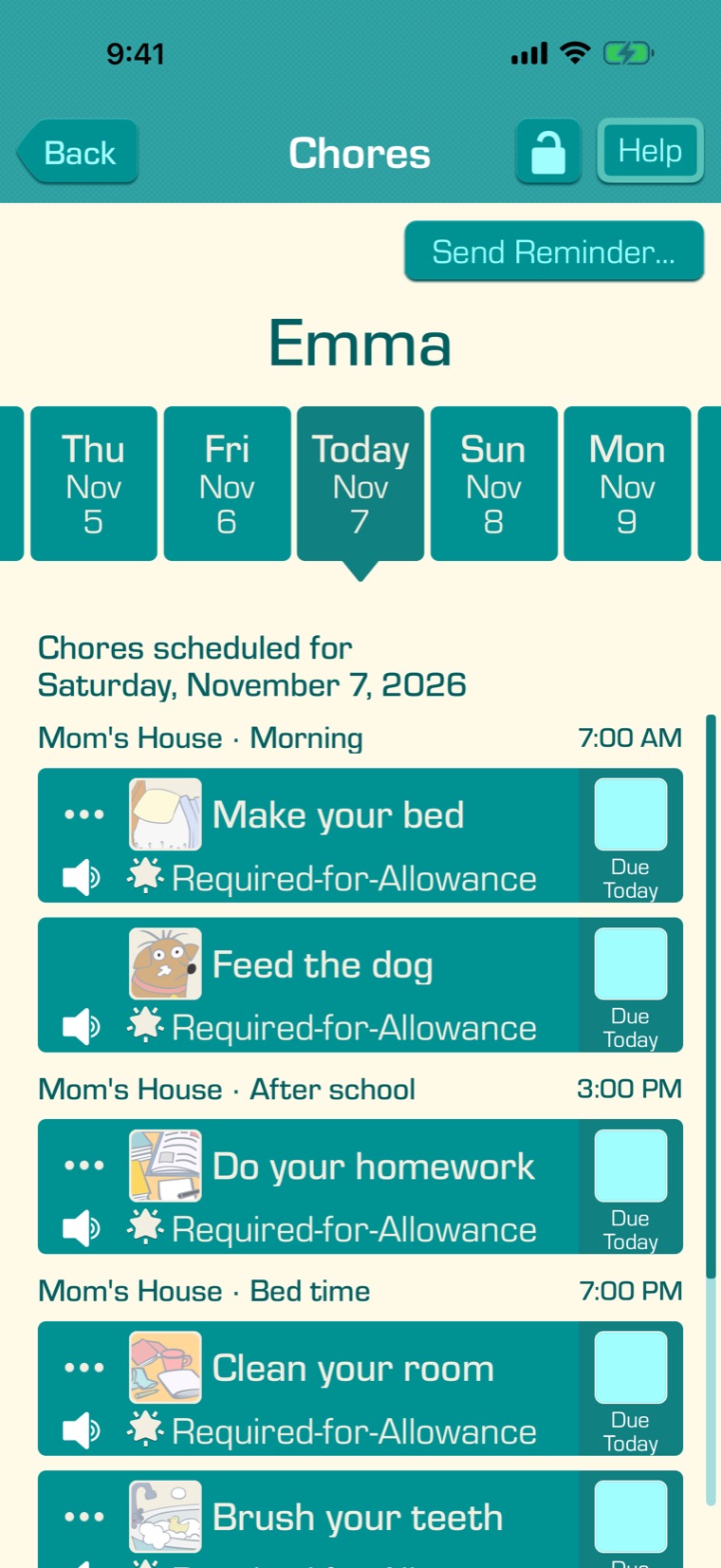
- A chore tied to a home is on a child’s list only while they’re there, like feeding the dog at Mom’s house.
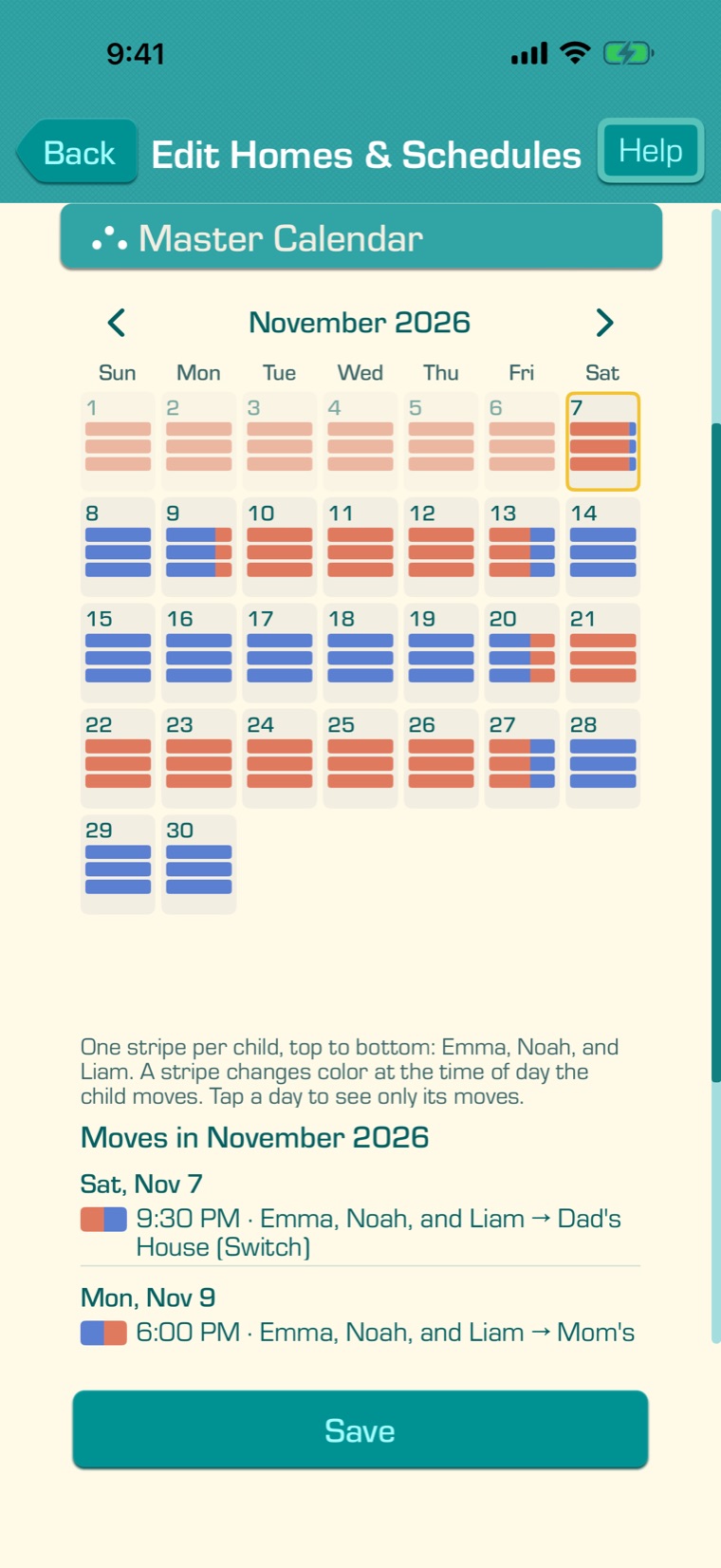
- Schedules: every other week, 2-2-3, 2-2-5-5, weekends at the other home, or your own pattern. Children can have different schedules.
- Switches for one-time changes, like a holiday at Grandma’s.
- The list updates by itself when your children move.
New in 5.1.0Premium
Pause chores for vacations and sick days
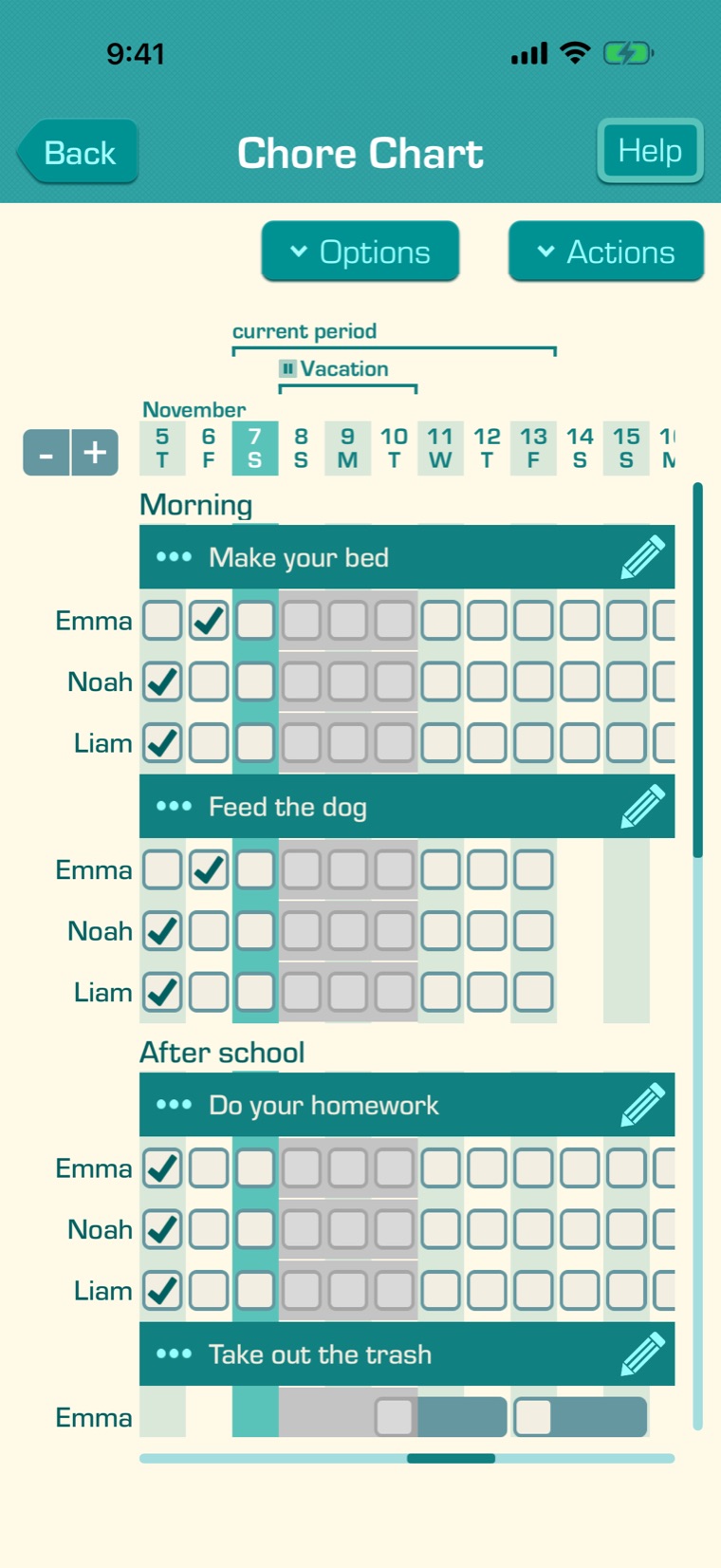
Paused chores aren’t assigned, get no reminders, and don’t count against the allowance.
- Pause every chore or the ones you choose, for all your children or some of them.
- For today, tomorrow, several days, until you resume them, or as a pause that repeats.
- Give the pause a name, like “Vacation”. Your children see it on their paused chores.
Without Premium, you can pause one chore at a time until you resume it.

New in 5.1.0Now free
Watch apps, widgets and Siri are now free
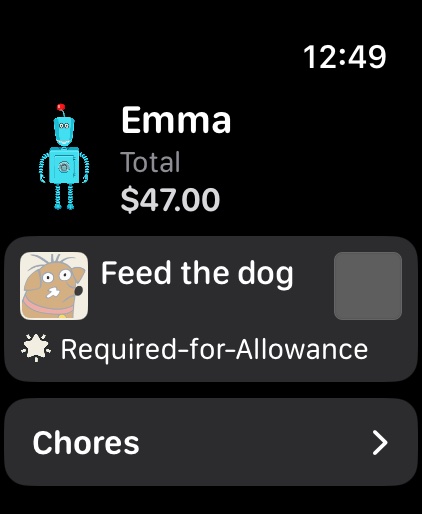
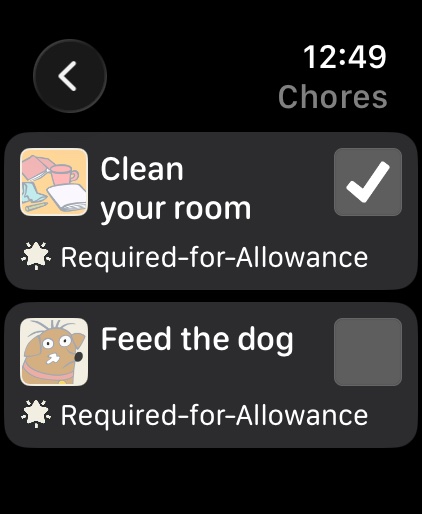
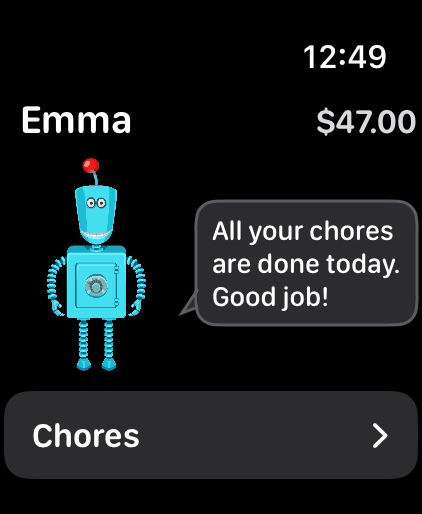
The Apple Watch and Wear OS apps, widgets, Siri, and Shortcuts are now in the free version.
- Kids see their chores and check off the next one on their wrist.
- Widgets show the next chore, and check it off with a tap.
- “What’s my next chore?” Siri knows.
New in 5.1.0
Start without an email
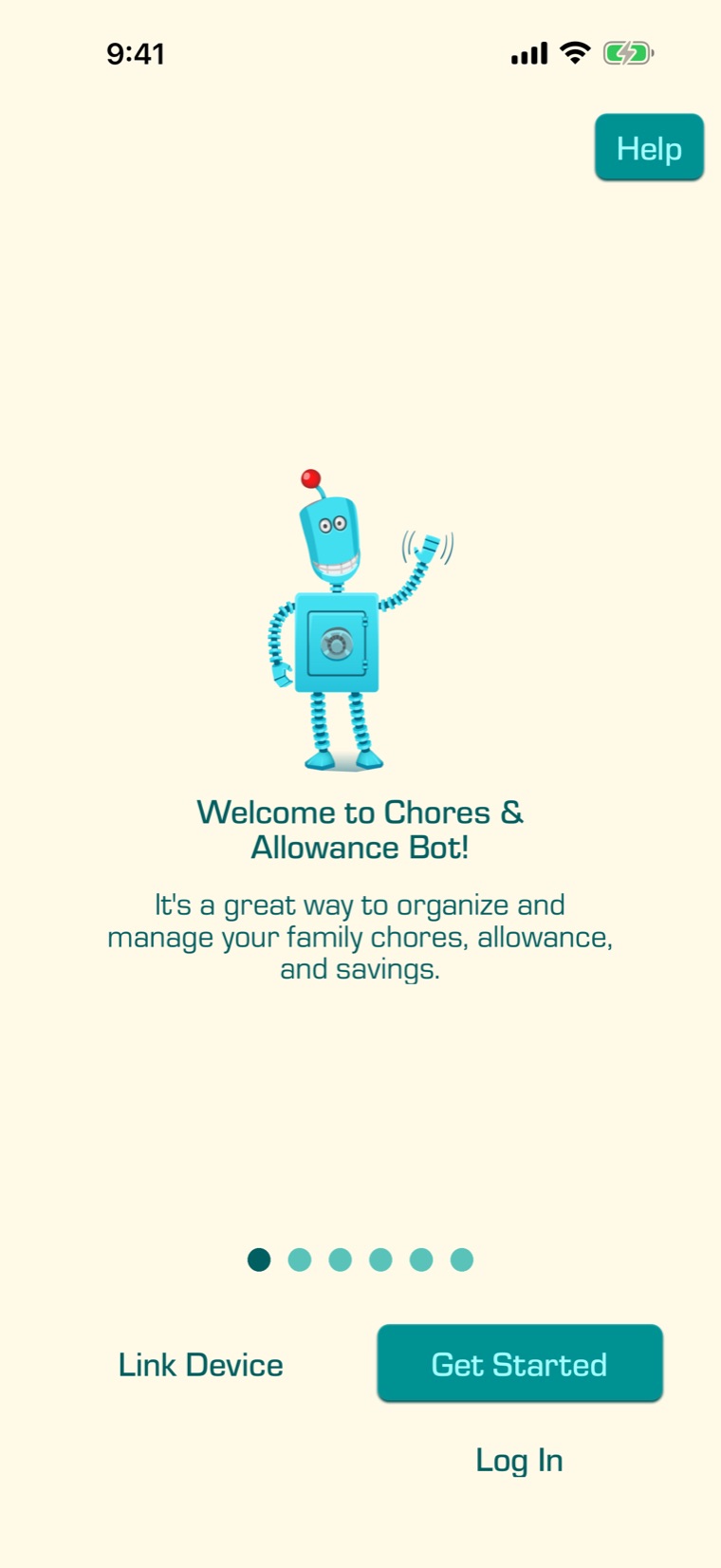
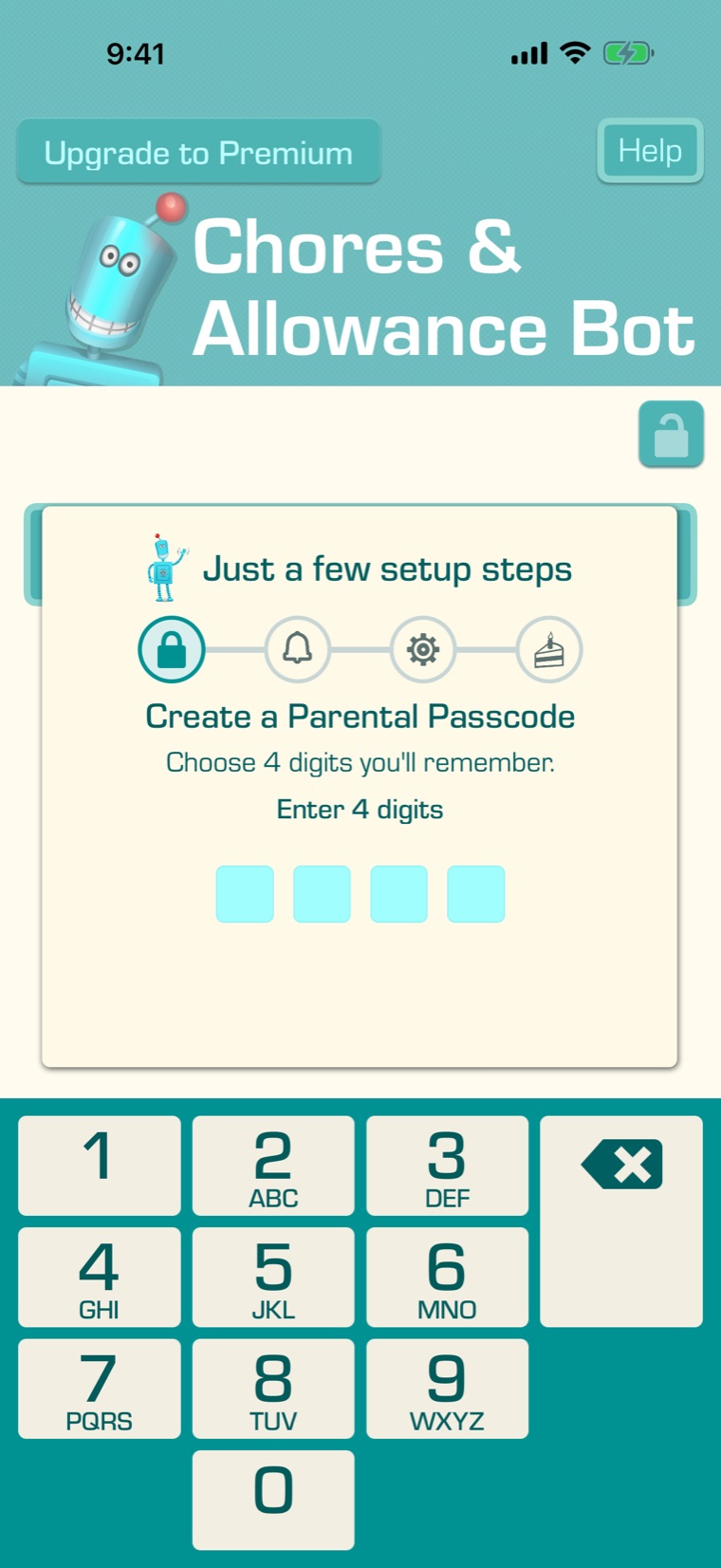
Tap “Get Started” and you’re in, with no email or password. Add an email later if you want.
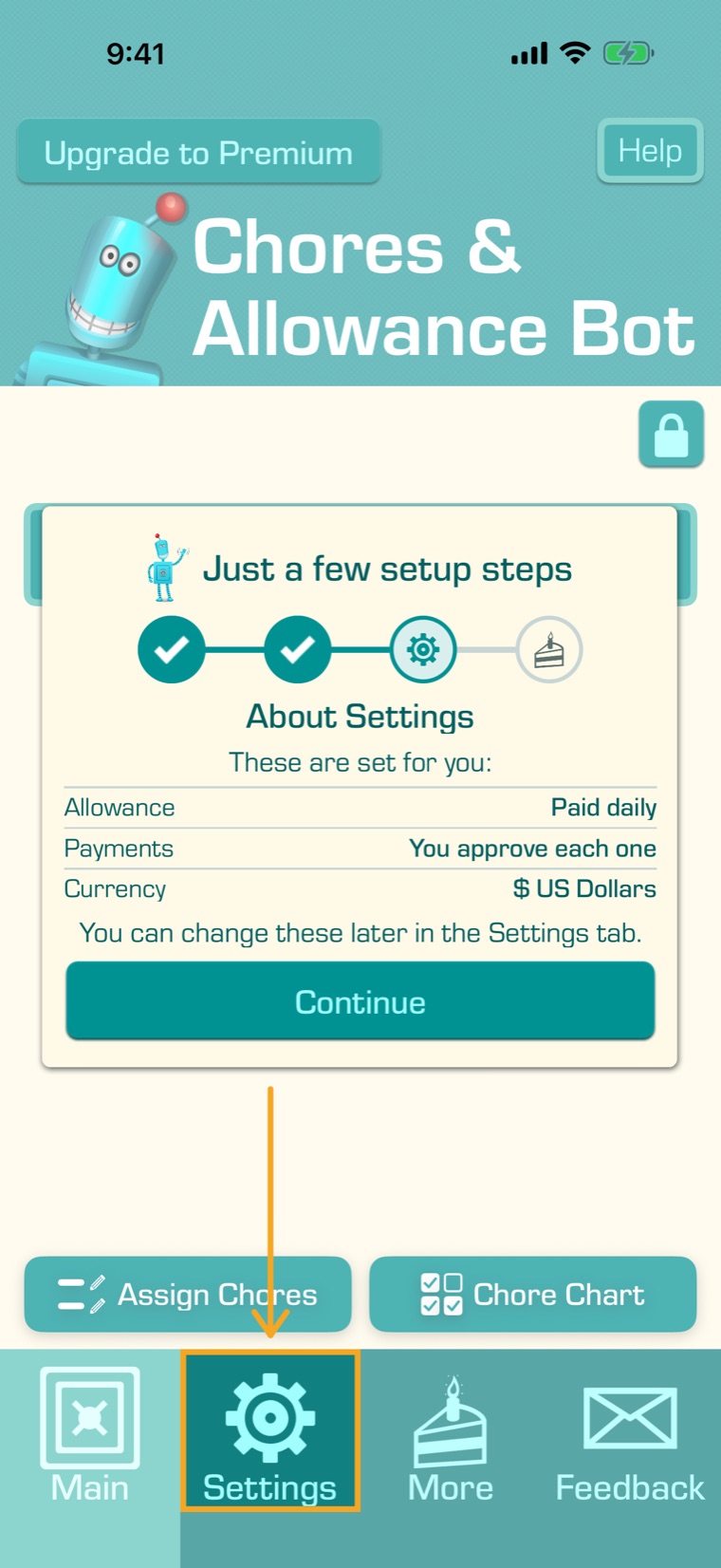
- A short setup checklist: your parental passcode, then notifications.
- It shows the settings chosen for you: allowance paid daily, you approve each payment, and your currency.
- Then add your first child.
New in 5.1.0
Account recovery
Protect your account, so you can get back in on a new device.
A recovery email
The app emails you a login code. It can also unlock the app if you forget your parental passcode.
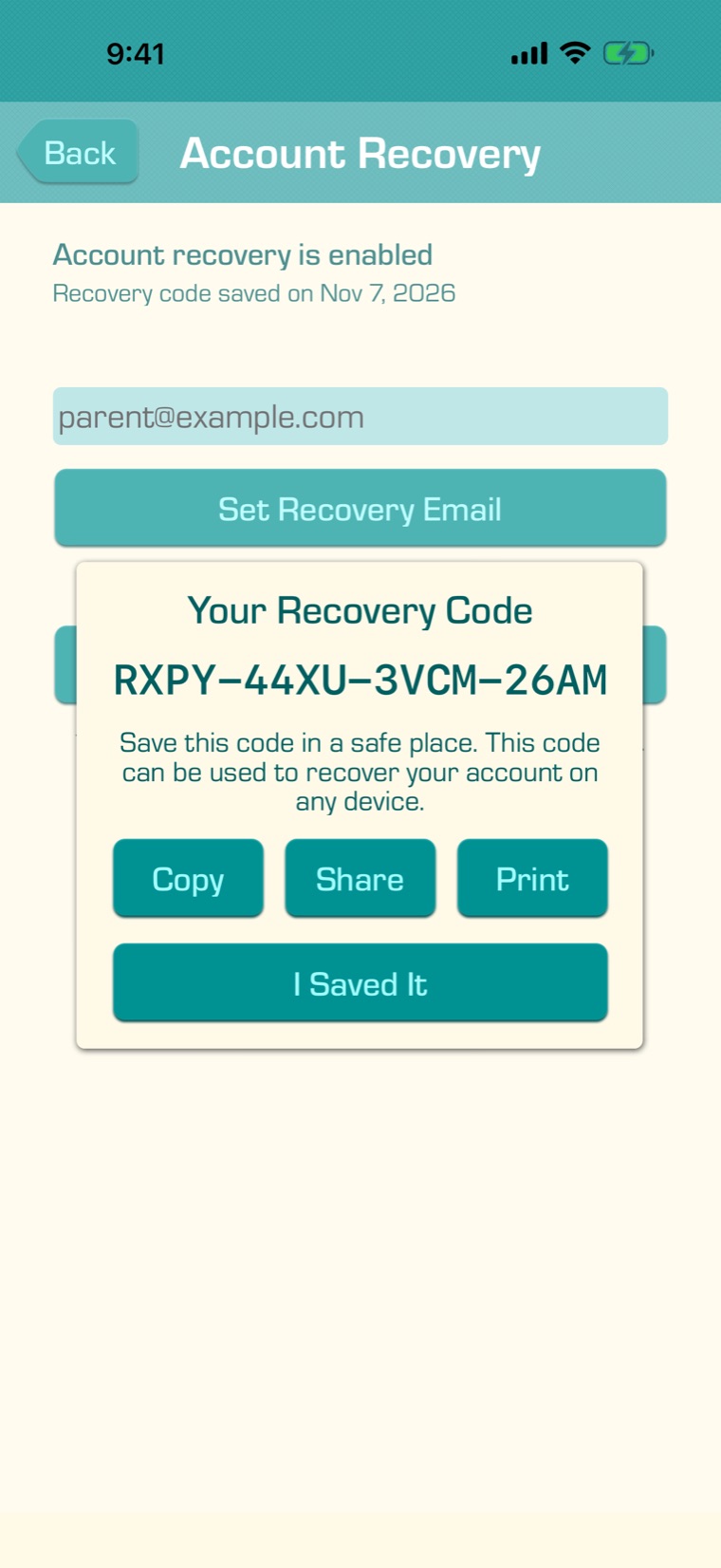
A recovery code
16 characters to copy, share or print, and keep in a safe place.
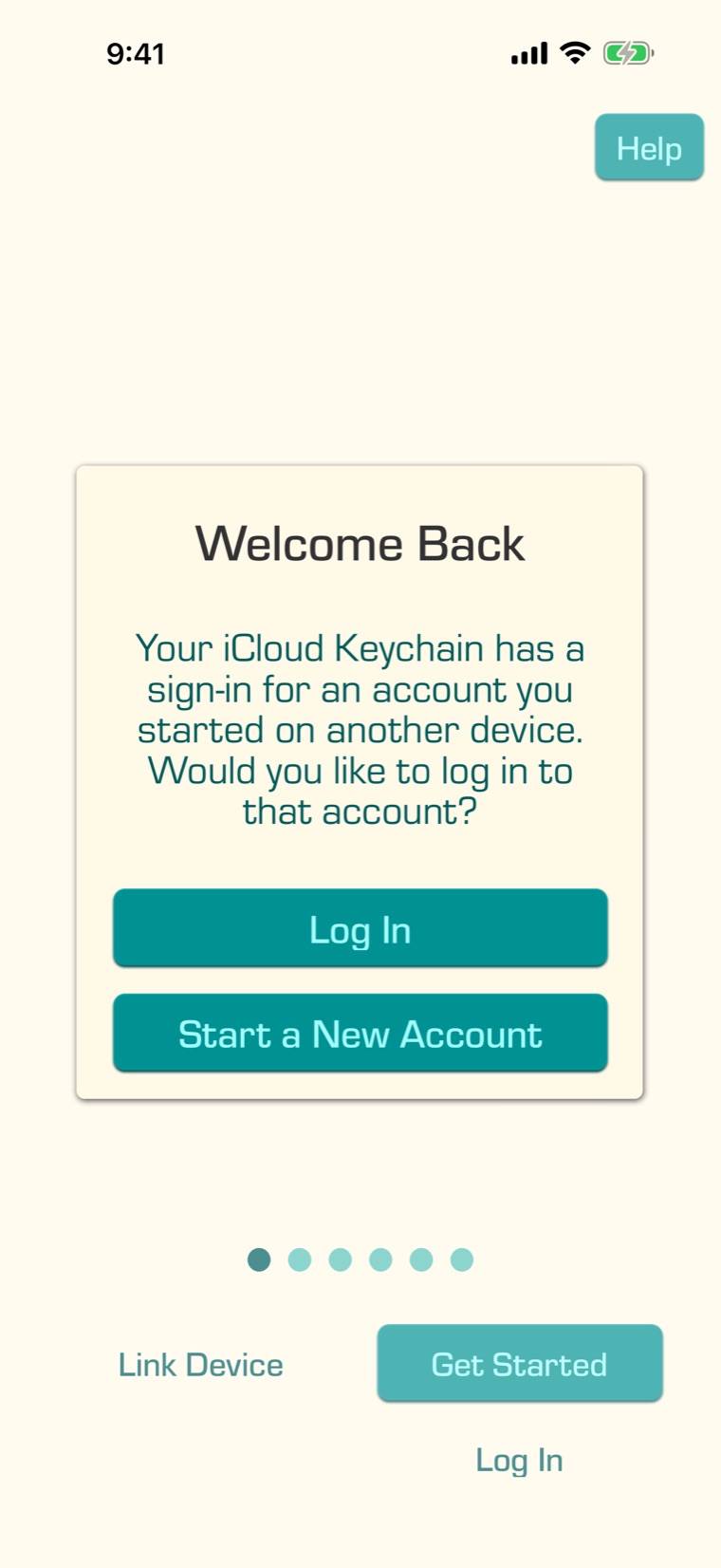
iCloud Keychain or your Google account’s backup
A new device says “Welcome Back” and offers your account.
New in 5.1.0
More room on iPad
The Chore Chart and Assign Chores use the full width on iPad.

New in 5.1.0
iPhone Duo, open and closed
Improved screens on iPhone Duo. Open, your children and their chores are side by side. Closed, the main screen’s buttons and tabs move into a column down the side, under the camera.


Versions 5.0.0 to 5.0.3
Version 5: completely rebuilt
Rebuilt for iPhone, iPad, Android and the web: faster, smoother and packed with new features. Your account, children, chores and settings stay just as they are.
New in 5.0.0
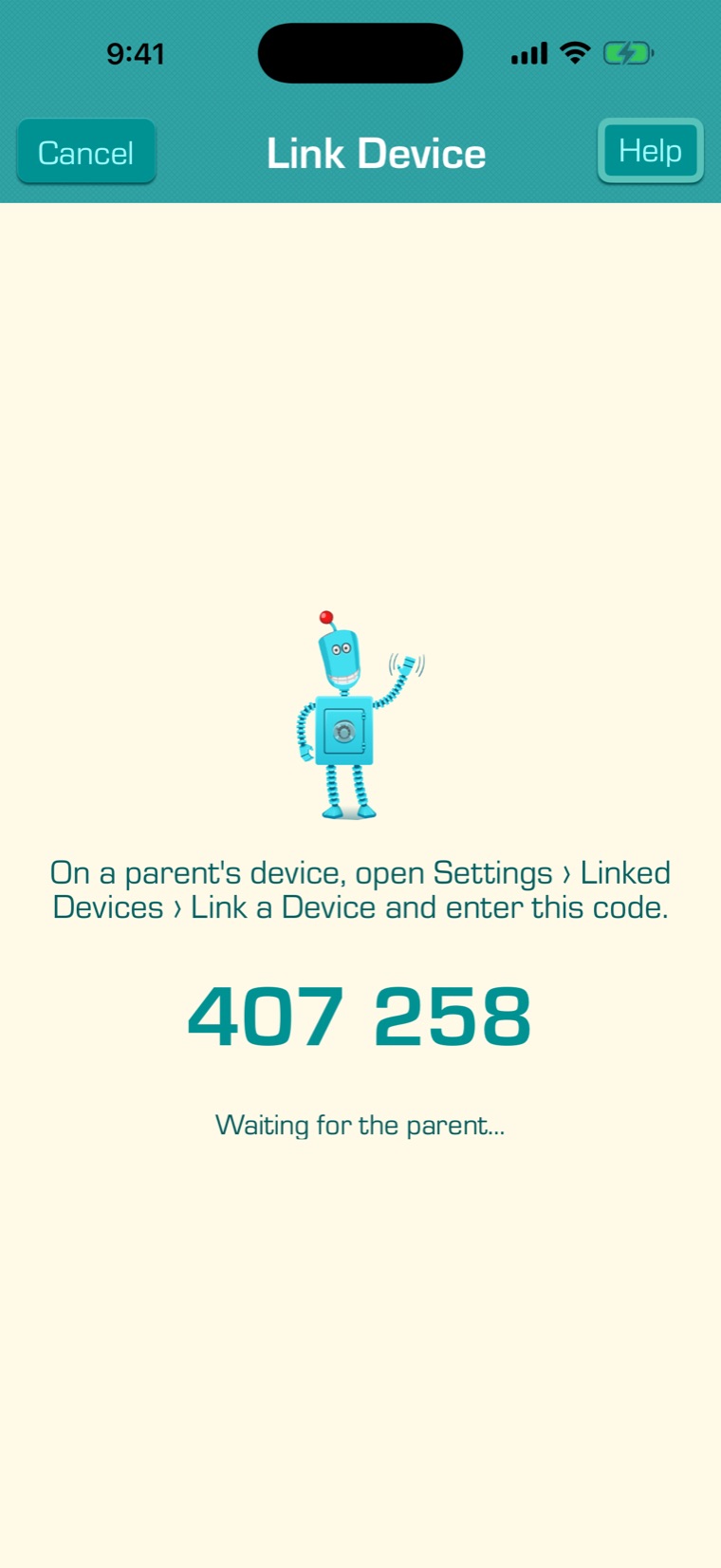
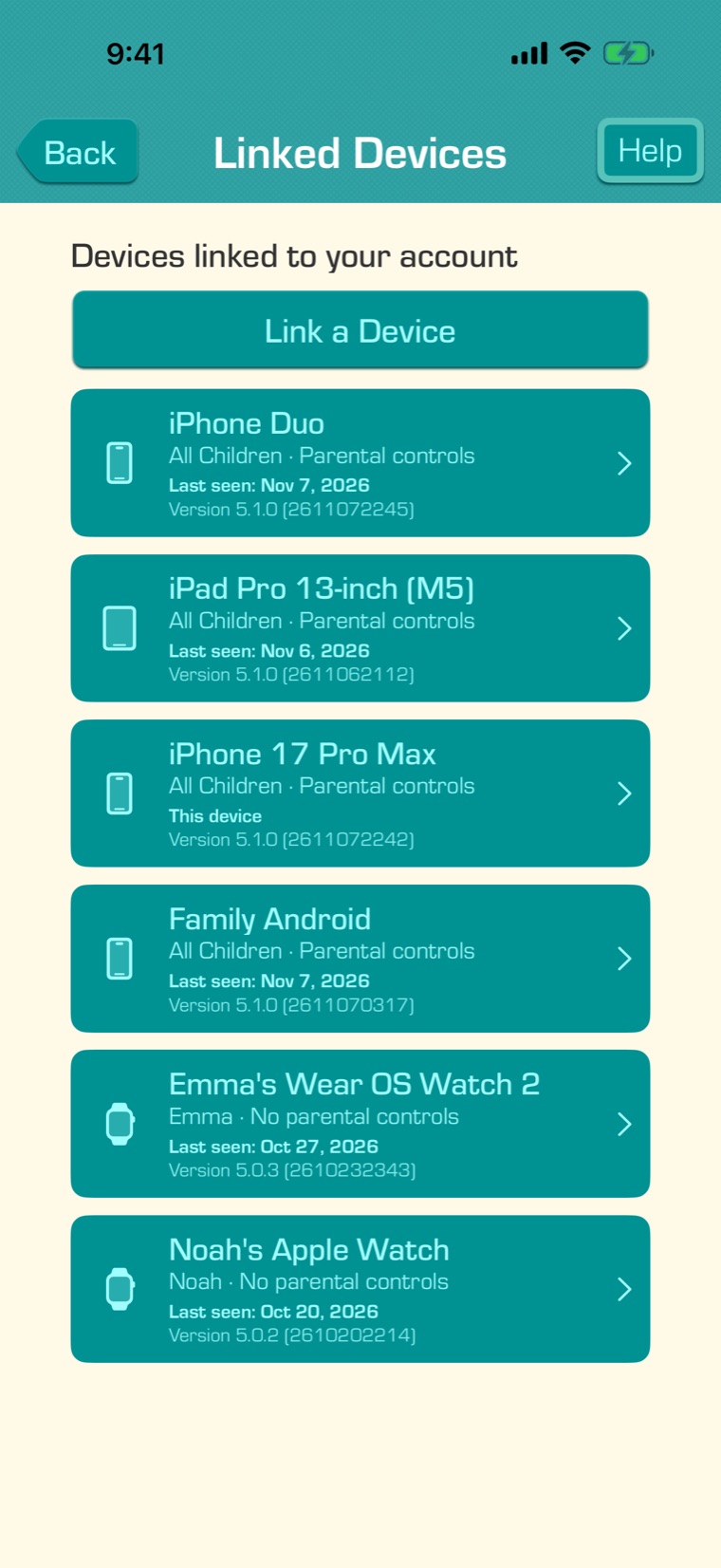
Link your child’s device with a code
Link a child’s phone, tablet, watch or web browser to your account with a 6-digit code, with no need to share your password.
- Choose which children each device shows.
- Allow parental controls on it, or not.
- Change its settings from your own device, and unlink it when you like.
New in 5.0.0Free since 5.1.0
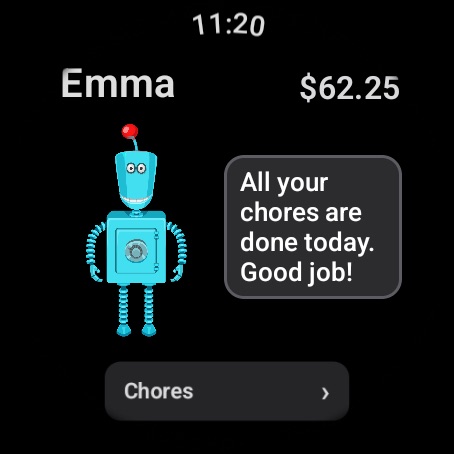
Chores on Apple Watch and Wear OS
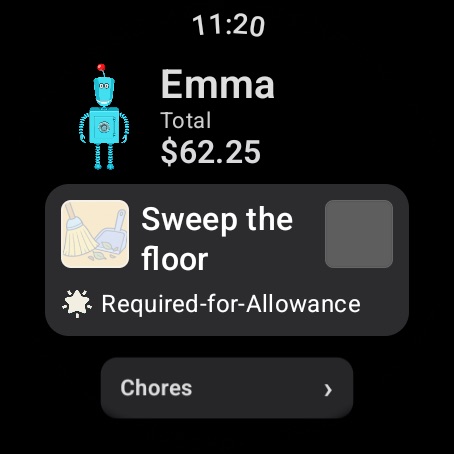
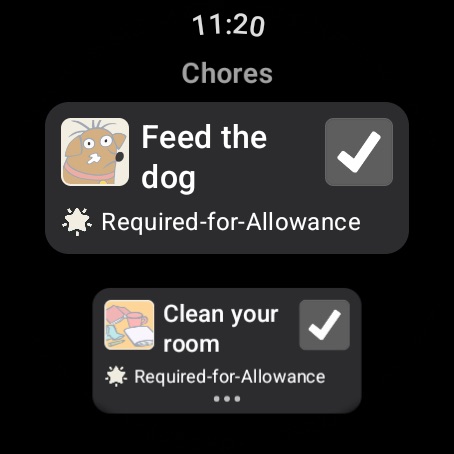
Kids see their chores and check off their next chore on their wrist, without a phone.
- Their total, their next chore, and the list of today’s chores
- A cheer from the robot when everything is done
- The next chore on the watch face, in complications and a Wear OS tile
- Link the watch with a code and choose the child it shows
Apple Watch with watchOS 10 or later, and Wear OS 3 or later.
New in 5.0.0Free since 5.1.0
Widgets, Siri and Shortcuts
Home Screen widgets on iPhone, iPad and Android, Lock Screen widgets on iPhone, and desktop widgets on Apple silicon Macs.
Child’s Next Chore
One child’s next chore. Your child checks it off right from the widget.
Chores & Allowance
Every child, with the chores they have left.
Chores Left
The chores left today, on the Lock Screen.
Siri and Shortcuts on iPhone and iPad, with no setup. Say, for example:
- “What’s my next chore in Chores & Allowance Bot?”
- “Check off Emma’s next chore in Chores & Allowance Bot.”
- “How much does Emma have in Chores & Allowance Bot?”
- “Record a purchase for Emma in Chores & Allowance Bot.”
New in 5.0.0
A Help box, tips, dark mode and new avatars
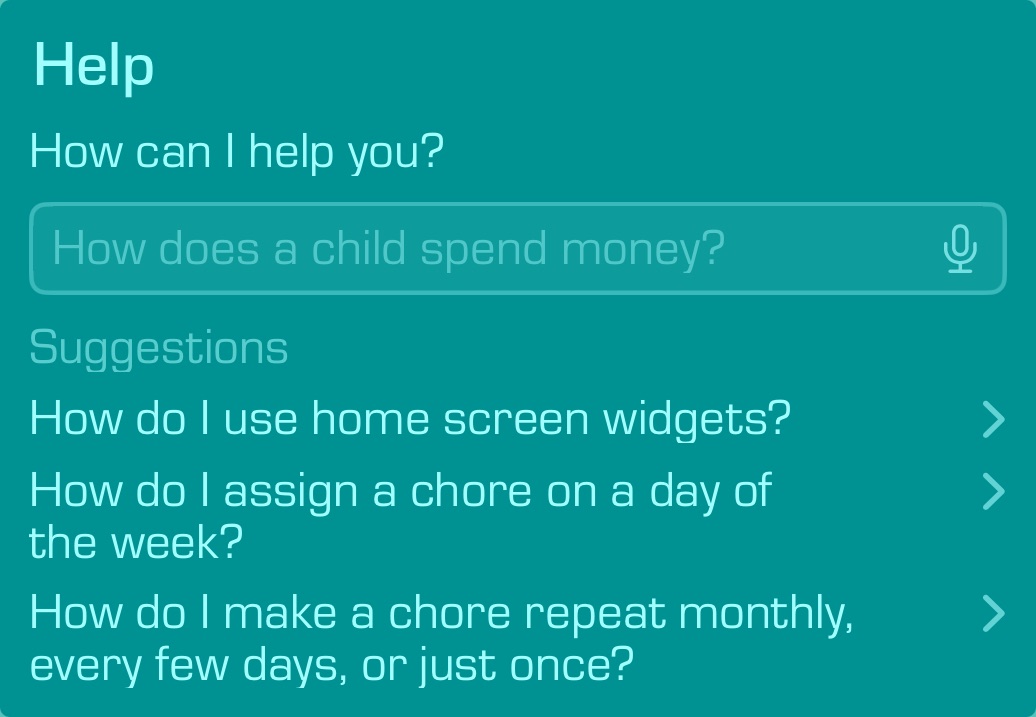
A new Help box
Type or speak a question, and the app shows you step by step where to tap.
Tips
Short tips point out features you may not have tried yet.
Dark mode
The app follows your device, or choose Light or Dark for each device.
A new avatar creator
Make an avatar for each child: choose the hair, the skin and the scene.


New in 5.0.0
All new, on every device
iPhone and iPad
Completely rebuilt: faster and smoother.
Android
Rebuilt too, with Home Screen widgets and a Wear OS app.
The web
The web version at choreapp.wingboat.com is all new, and works in Chrome, Edge, Firefox and Safari.
Mac
Runs on Apple silicon Macs, with desktop widgets.
Get version 5.1.0
Update Chores & Allowance Bot from the App Store or Google Play. The web version is always up to date.


Free to use for as long as you like, with no ads. Premium adds more when you want it, with a 7-day free trial for first-time subscribers.
The smaller changes in each version are in the version history →